| General | Console | Combinations | Recordings | Demo | Gallery | Settings | Return to Main Page |
Combinations View
The Combinations view shows a grouped list of the combination banks and their combinations:
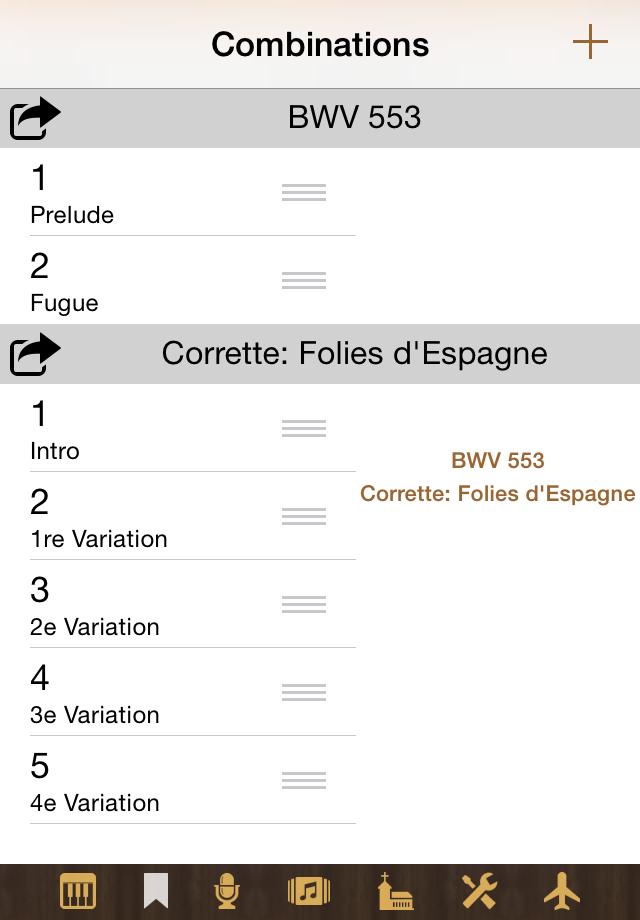
Create a new bank by tapping +. Use the action menu at the left of the bank name to copy, rename or delete the bank, or to add a new combination (based on the current stops configuration of the Console view) to it. Long tap a combination to copy, rename or delete it. You can move a combination to another position (in possibly another bank) by dragging (touch and move the grey area at the right of the combination name).
When you tap a combination entry, you are presented a graphical editor for this combination. If the current bank has more than one combination, you can in this editor skim through all the combinations of the bank with help of a stepper or slider.
There is currently no convenient way to share combinations (this will
follow in a future version), but you can access the data with iTunes File
Sharing. A combination bank named name is stored in a file
named CombinationBank.name.napo. Combination data created
with a certain app can only be used with the same app or an instance of
this same app on another device.